🌐 Remote access via tunnel (IOB- code)
An engine at another site, a customer's server, your home from your phone? You don't need to open ports or set up a VPN: the remote tunnel connects app and engine through the io-backup.com relay with end-to-end encryption.
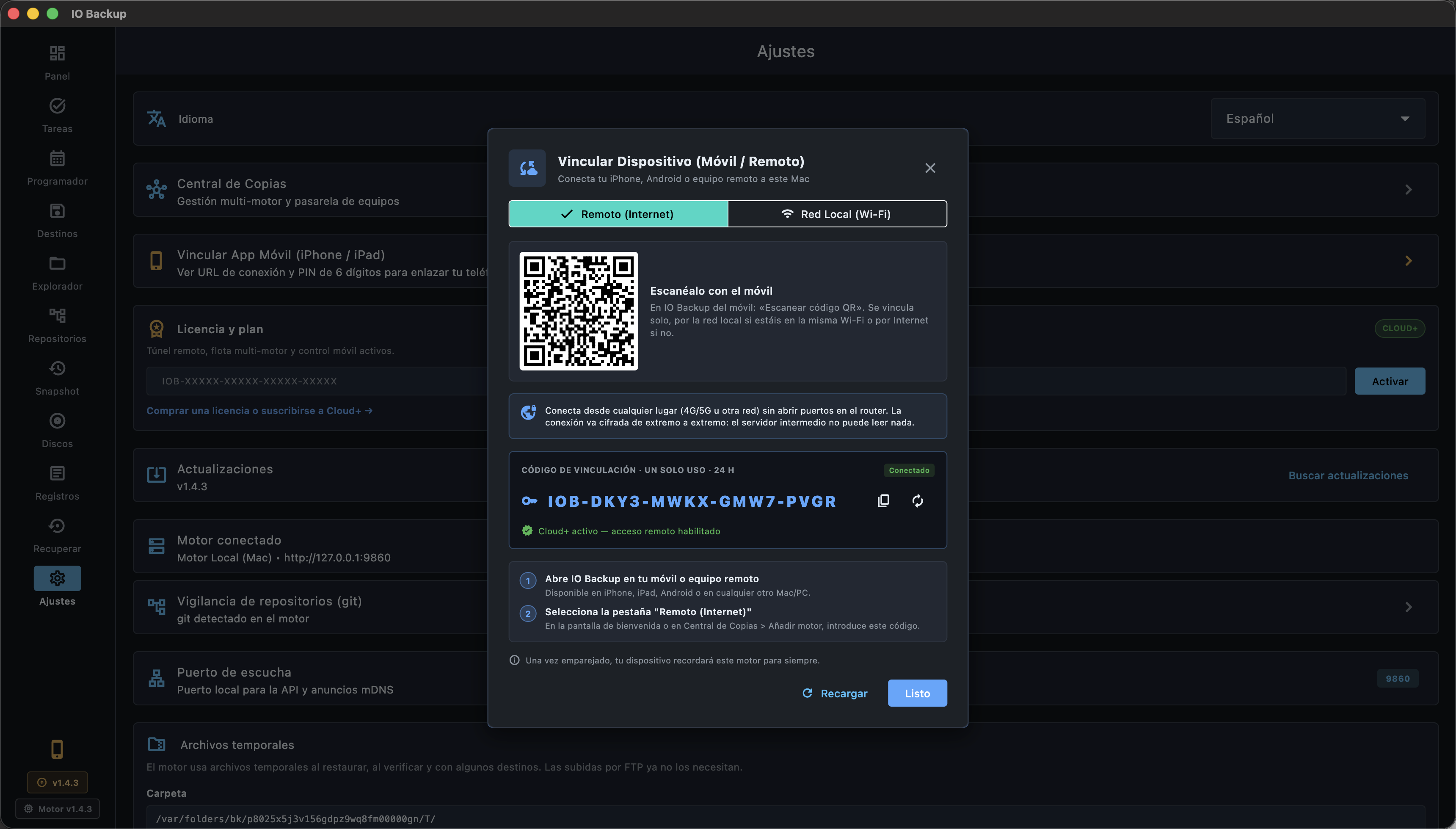
How to enable it
- On the engine's machine (or from an already paired local client): generate the remote code
IOB-XXXX-XXXX-XXXX-XXXX— single use and valid for 24 hours. - In your app (desktop or mobile): Add remote engine → enter the code.
- The app creates a
relay://<engine_id>/<kid>profile with its own keys — the code dies once used.
What travels through the relay
- The relay (the portal's
api/remote.php) only sees ChaCha20-Poly1305 envelopes: it forwards encrypted bytes and can't read anything — not even the server operator. - The session is negotiated with HKDF (vectors pinned in tests on both sides) — only your app and your engine can open the envelopes.
What you can do remotely
Almost everything: destinations, tasks, IO Backup disks, restore, verify, scheduler, logs, resources — all the day-to-day work.
Restricted by design (protects the engine if the relay were ever compromised):
- Touching
pre_command/post_command - Pairing (
/auth/pair) — nobody can add clients to your engine from the outside - Rotating the remote code — done from a local client
No WebSocket connection
There's no WebSocket over the tunnel: the app syncs by comparing the configuration revision (config_rev) on each poll — changes made from another panel show up on the next cycle (~seconds).
If the tunnel won't connect
- Check that the engine has outbound access to
www.io-backup.com(HTTPS 443). - The code expires after 24 h or on first use — generate a new one.
- See also frequent problems.