🧹 Include/exclude filters and masks
Each task can filter what goes into the backup. Filters live in the task's filters_json and are edited from the task dialog, Filters section.
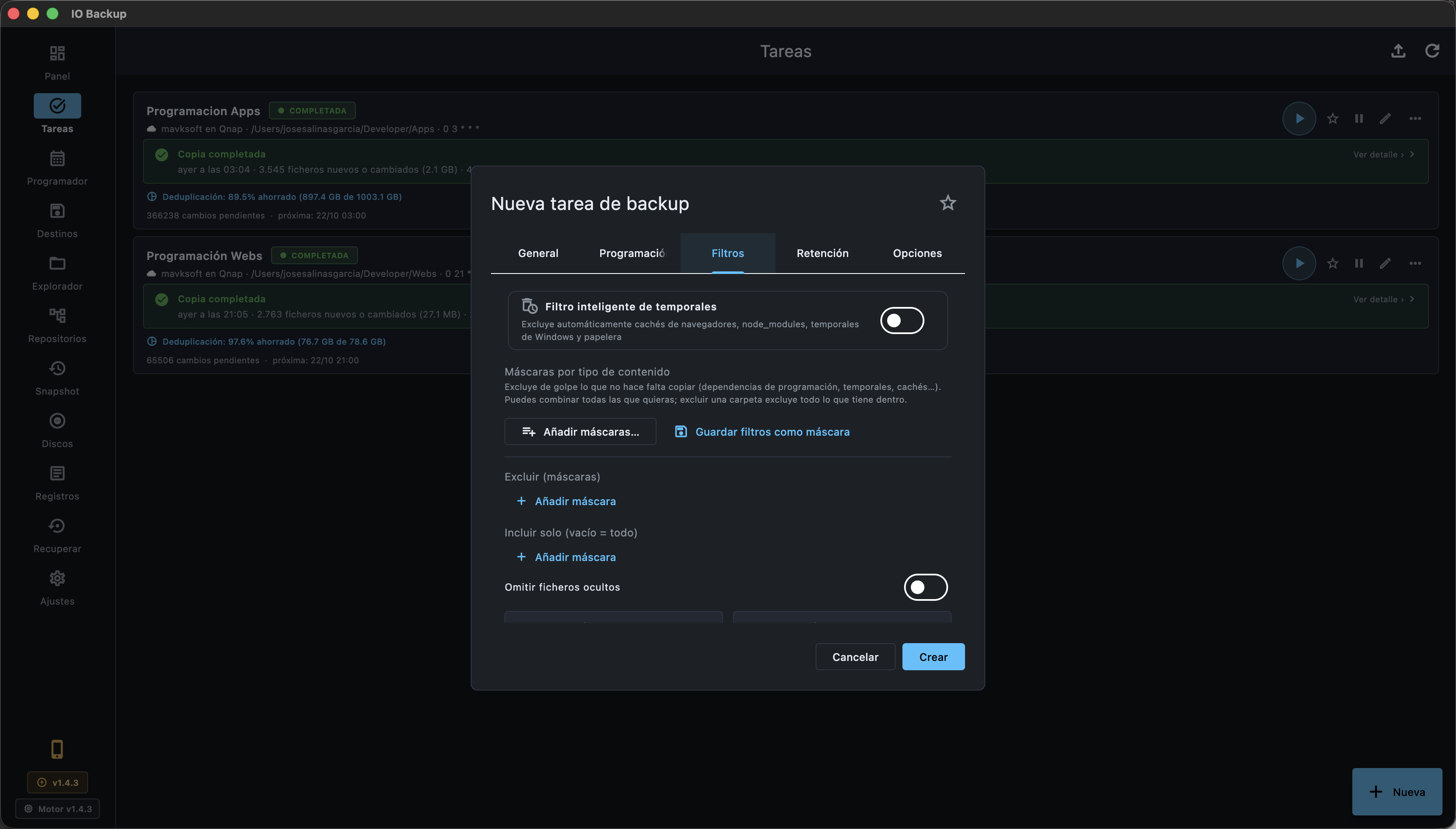
Catalog masks
The engine ships with a catalog of common exclusions (caches, temp files, node_modules, Thumbs.db, .DS_Store, trash…). They're enabled by id from the app and stored as masks in filters_json.
Custom masks
Create your own in the custom catalog (meta.custom_masks, visible under Masks) and reference them as custom:N.
How a pattern is interpreted
A simple but powerful rule:
- Pattern WITHOUT a slash (
node_modules,*.tmp,.git): matches the name of any path component, at any depth. Excluding a folder excludes all its contents. - Pattern WITH a slash (
proyectos/viejos,/cache/): matches the end of the path relative to the source.
Examples:
| Pattern | Excludes |
|---|---|
node_modules | Every node_modules folder wherever it appears |
*.log | Any .log file |
backups/viejos | That specific path inside the source |
Inclusions
Besides exclusions you can define include only: patterns that narrow the backup (e.g. only .docx and .xlsx). If any inclusions are active, whatever doesn't match is ignored.
Tips
- Exclude what's regenerable (caches, builds,
.gitif you already watch the repo) — faster backup, cleaner destination. - Be careful excluding system directories on broad sources: combine filters with a narrowed-down source.
- Filters are evaluated on every pass and by watchers: a change in an excluded file doesn't even wake the task.
- You can query available masks via API:
GET /api/v1/masks.