📧 Email alerts
The engine can email you when something needs attention — without having to open the app every day.
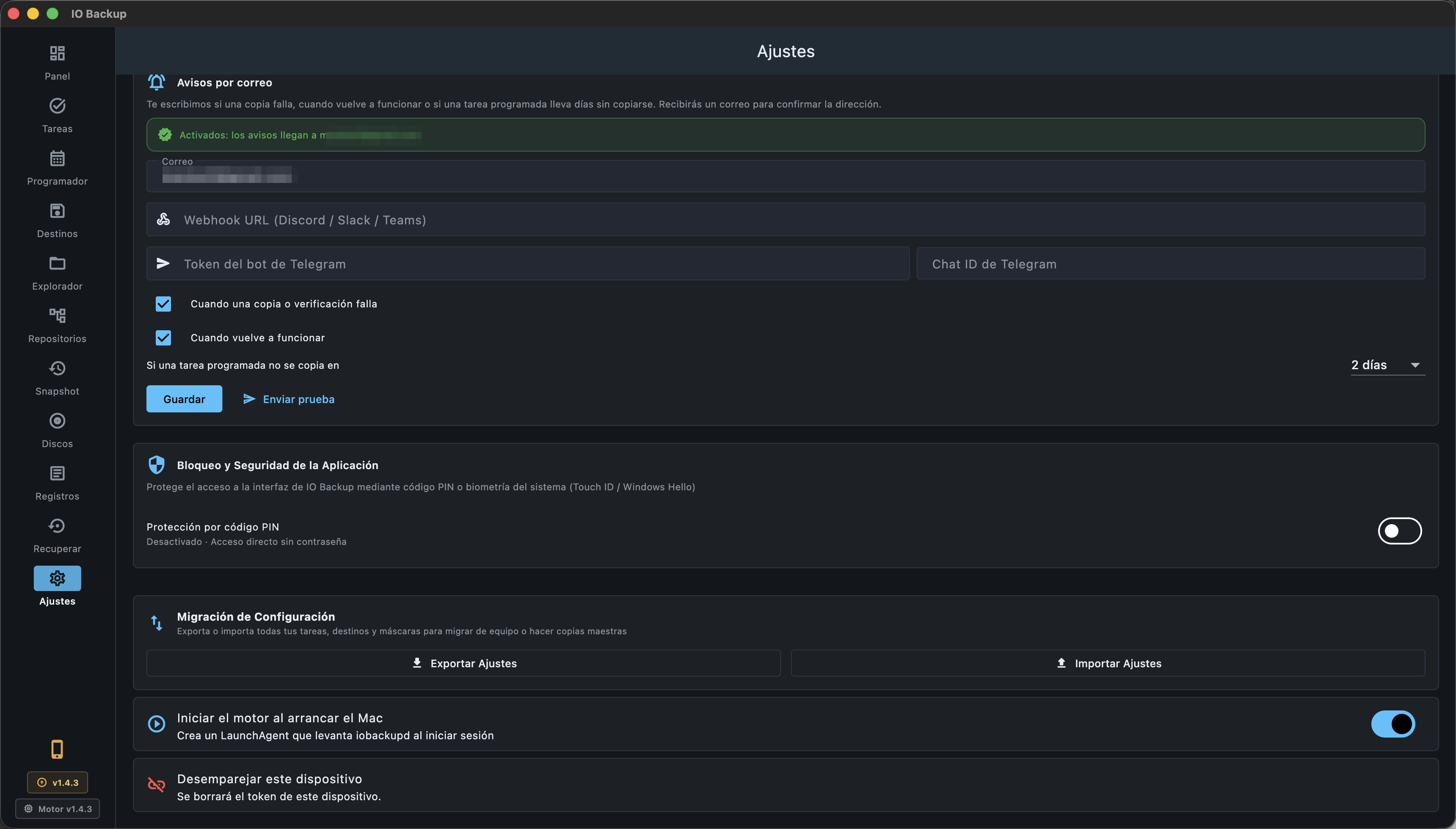
Configuration
- In the engine's Settings → Alerts (
meta.alerts). - Double confirmation: creating an alert asks you to confirm the email address before activating (avoids sending to the wrong address).
- Daily limit so it doesn't turn into spam if something fails in a loop.
What it reports
- Failed task runs.
- Relevant engine status notices.
How it travels
Notifications go through the io-backup.com portal's api/alerts.php — the engine doesn't need its own SMTP server or mail credentials on the machine.
Best practices
- Enable alerts on servers without daily supervision: they're the ones that most need the backup to shout when it fails.
- Combine them with the Scheduler: alerts for the occasional failure, visual review for the trend.