🗃️ Backup Central and fleet management
Backup Central is the app's multi-engine view: all paired engines at once, with their status and favorite tasks.
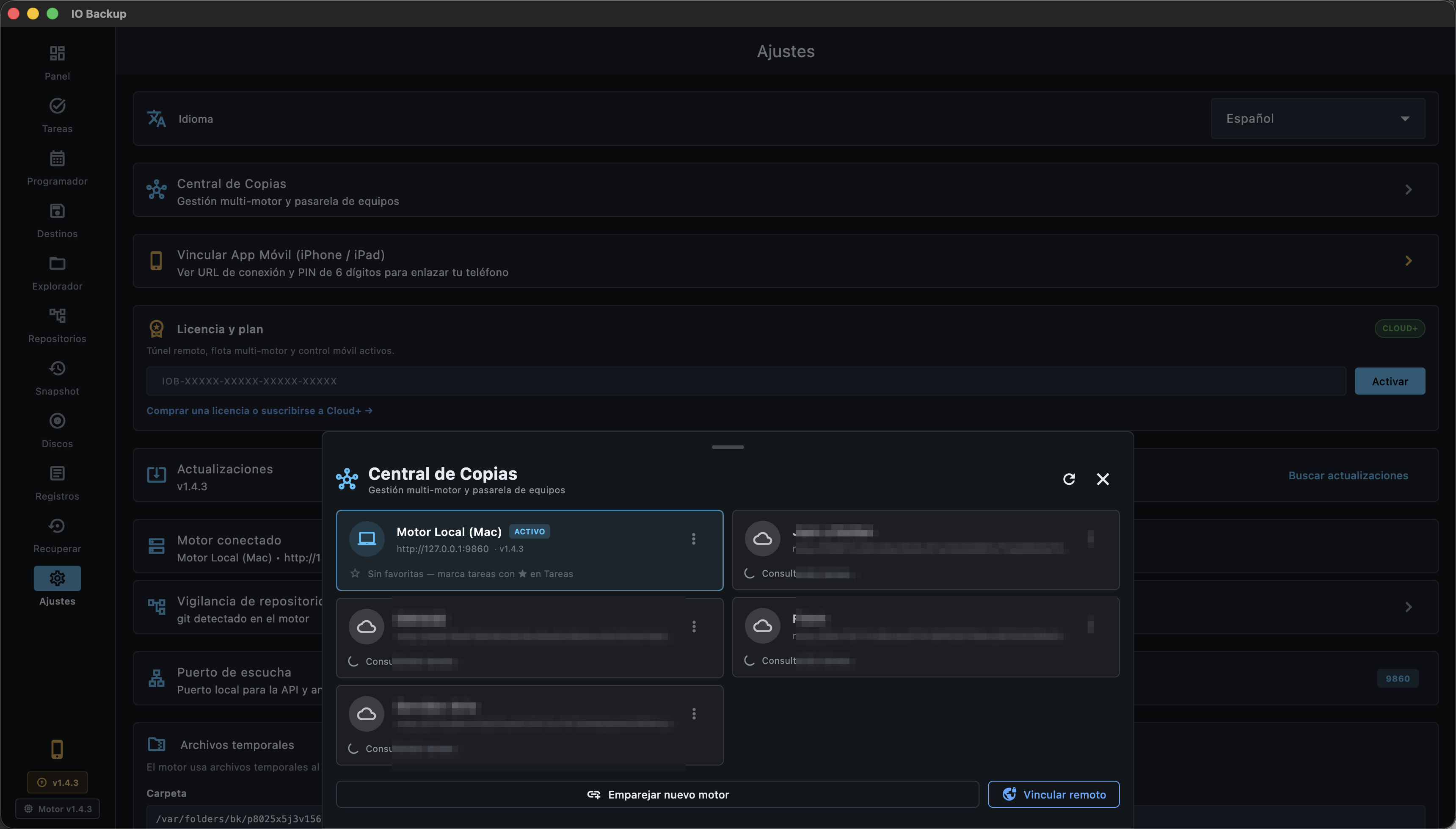
What it shows
- One card per engine: status (active/idle/down), version, platform.
- Each engine's favorite tasks (marked with ⭐) — about 3 per engine, in two columns — with their last status and a direct run button. Only favorites make it in: the panel is for launching and monitoring, not for browsing the whole tree.
Switching engines
- The top bar dropdown switches the active engine in one tap — every panel (Tasks, Destinations, Scheduler…) then shows that engine.
- From Central you manage the profiles: rename, forget, re-pair.
Connection profiles
Each profile stores how to reach the engine:
- Local: this machine's engine.
- LAN: another machine on your network, via IP/mDNS.
- Tunnel (
relay://): remote engine through the encrypted relay — no ports to open (remote access).
The selector tells engines apart by their cryptographic id, never by name — two servers with the same name (Svr1) are distinct profiles with no ambiguity.
Sync between panels
What you change in a remote panel is reflected in the local one (and vice versa): the engine emits ConfigChanged after every write and the app propagates it — if you don't see a recent change, wait for the next poll (~seconds over a tunnel).
Tips
- Mark your critical tasks as favorites: Central becomes your "one glance and launch" panel.
- Remote engines are just as manageable as local ones: destinations, tasks, disks and restore all work over the tunnel — only
pre/post_commandchanges and pairing are restricted, for security.