🔍 Search and backup browser
The Browser navigates backups like a file manager, and search locates files across the engine's whole index without mounting anything.
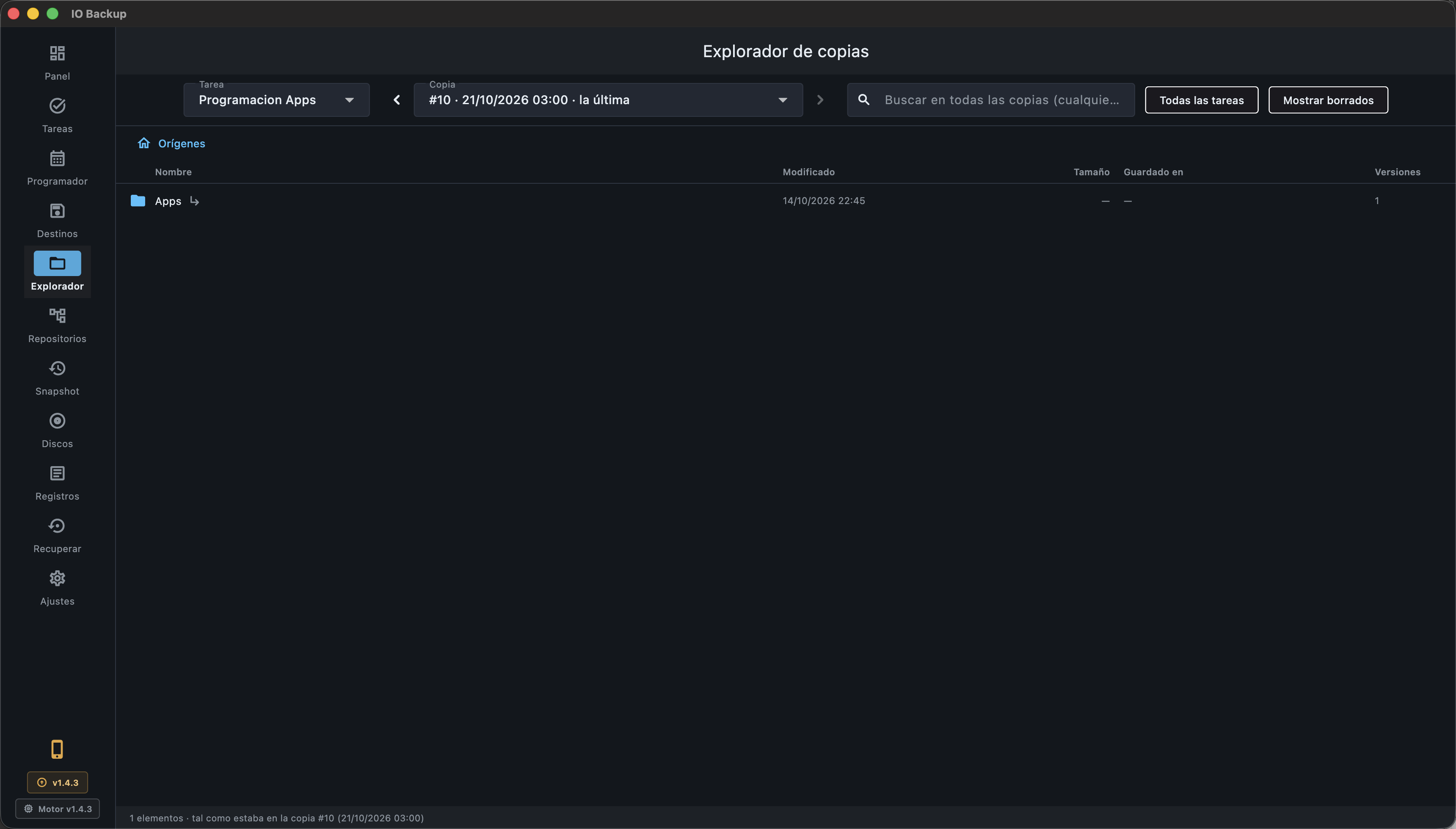
Snapshot browser
- Browse a snapshot's tree as if it were the original disk: folders, sizes and dates exactly as they were at that moment.
- Switch snapshots with the selector: the same tree at another point in time.
- The deleted view shows what's no longer at the source but survives in old versions.
- Every file can be restored individually (restoring files) or you can view its version history.
Global search
- The search box locates files by name across all indexed tasks and versions — you don't need to know which backup it ended up in.
- Results show the path, the task and the version where it appears: one tap takes you to that point in the browser.
How fast is it
The index is the engine's local SQLite: searching hundreds of thousands of files is virtually instant and works without a connection to the destination — the NAS or FTP doesn't need to be reachable to find the file, only to restore it.
Tip: if you don't remember the exact name, search by extension (invoice,.xlsx,.heic) and filter by the task where it lived.