⚙️ Commands before and after the backup
Each task can run its own commands around the backup (options.pre_command / options.post_command).
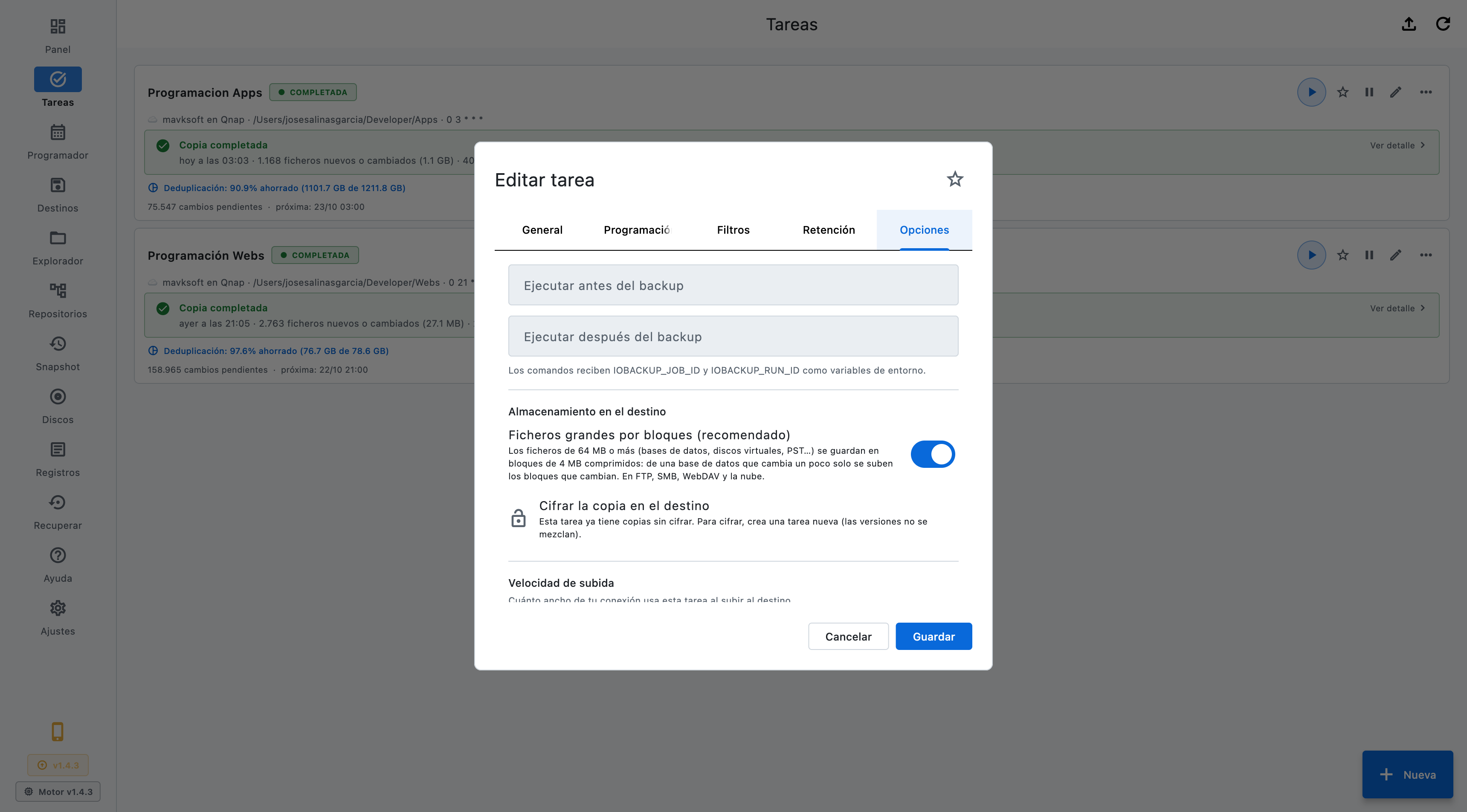
What they're for
pre_command: runs before copying. Typical uses: dump a database (mysqldump,pg_dump, app export), stop a service that locks files, or mount a resource.post_command: runs when the pass finishes (even if it failed — use it to clean up or notify). Typical uses: delete the temporary dump, restart the service, kick off a report.
Examples
# pre_command — dump MySQL before copying the dumps folder
mysqldump -u root -p*** midb > D:\dumps\midb.sql

# post_command — clean up the temporary file
del D:\dumps\midb.sql
# pre_command on macOS/Linux
/usr/local/bin/pg_dump produccion > /tmp/produccion.sql
Shut down or sleep when done
Besides free-form commands there's a built-in action: options → post-backup action (post_action):
Apagar— schedules a machine shutdown when the pass finishes.Suspender— puts the machine to sleep.
Handy for overnight backups: the machine works, copies and shuts itself down. Unlike commands, the post-backup action runs no external code and is also available when managed remotely.
Important rules
- They run as the engine's account: LocalSystem on Windows, your user on macOS. Paths, permissions and PATH differ from your interactive session — test the command in that context.
- A failing
pre_commandaborts the pass (it won't copy half-baked data from a broken dump). - For security,
pre_command/post_commandcan't be touched over a remote tunnel connection — only from a local client. They're the most direct way to execute code, so they stay protected.
Alternative for locked files
If the pre_command was meant to stop a service that locks files, try the built-in path first: on Windows, in-use files are read via VSS without stopping anything (files in use).