📅 The Scheduler (multi-engine weekly view)
The Scheduler section shows on a single screen what runs, when, and how it went — across all your engines at once.
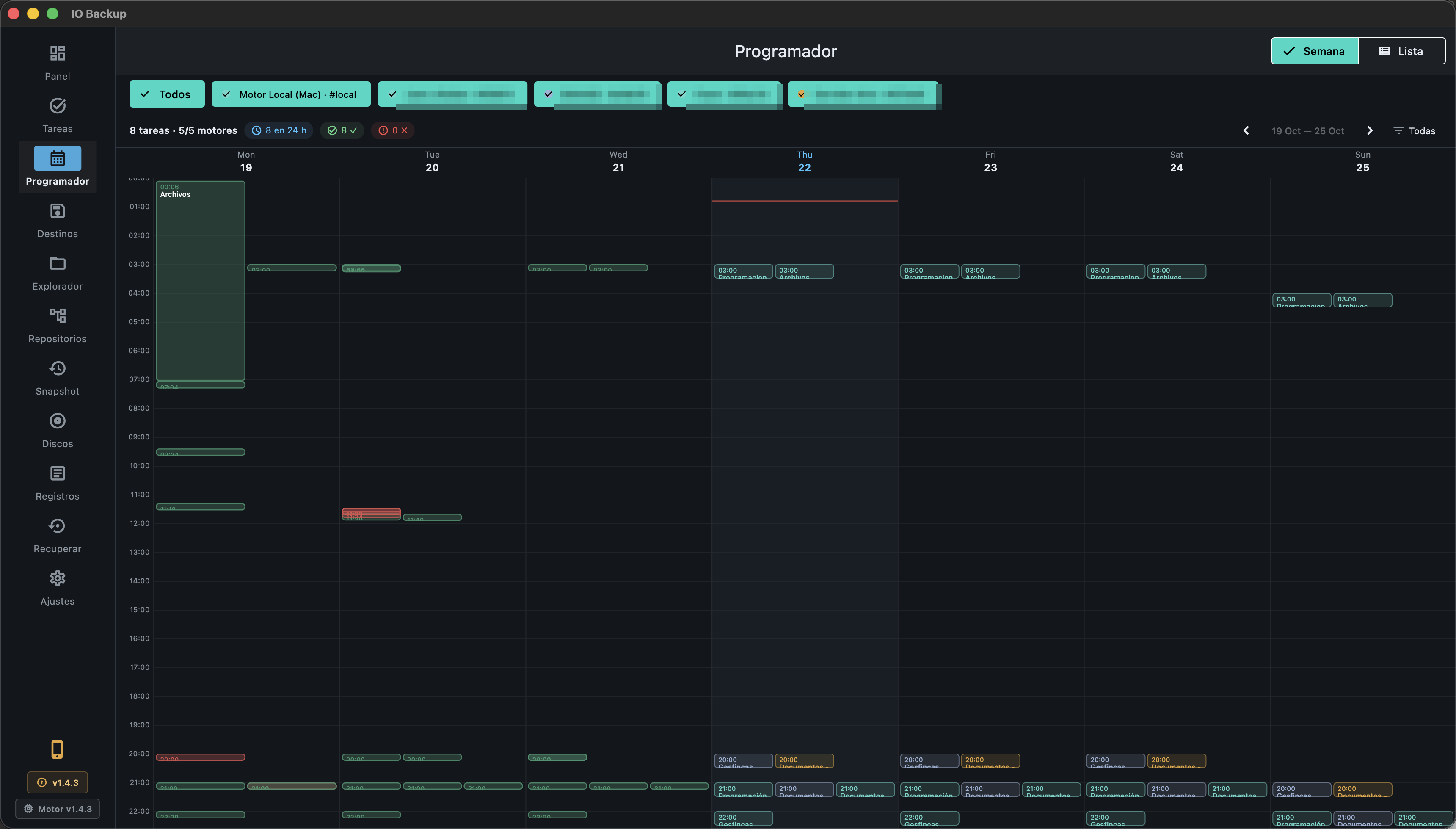
Engine selector
- Chips with name + id and a fixed color per engine. Check/uncheck which engines appear in the view; the choice is remembered between sessions.
- A down engine shows grey as "offline" — its last known information stays dimmed.
Week view
Days × hours grid (today highlighted, "now" line):
- Real runs: green successful, red failed, amber cancelled, blue running (pulsing).
- Projected runs: translucent blocks computed from each task's cron, anchored to the engine's real
next_run_at— DST is resolved by the engine, not the app. - Overlaps: tasks hitting the same slot are spread across parallel lanes.
- Click a block → full detail: engine, trigger (scheduled/manual/on changes), duration, files, bytes, error, and that run's log on demand.
@onchange tasks have no schedule: they show as "on changes" in the list view.
List view
One row per task: humanized cron ("every day at 03:00", "every 30 min", "on detected changes"), next run, last run with icon, sparkline of the last 15 runs and % success.
Summary and filters
Header with tasks and engines online, upcoming and results from the last 24 h, and runs in progress. Filter by status (scheduled, successful, failed, running).
Polling
Data refreshes every ~45 s per engine (in parallel, over local, LAN or tunnel) — what's "running right now" may lag slightly.
Use the week view to hunt down load collisions: if 5 tasks land at 03:00 on the same server, spread them out — your line and your destination will thank you.